
Dev Center
You click. Your agent types. Same running stack.
One worktree, its own database, every service in view. A native app for engineers and a CLI for agents—not two different ways to start the same project.
Private tool · Public field notes
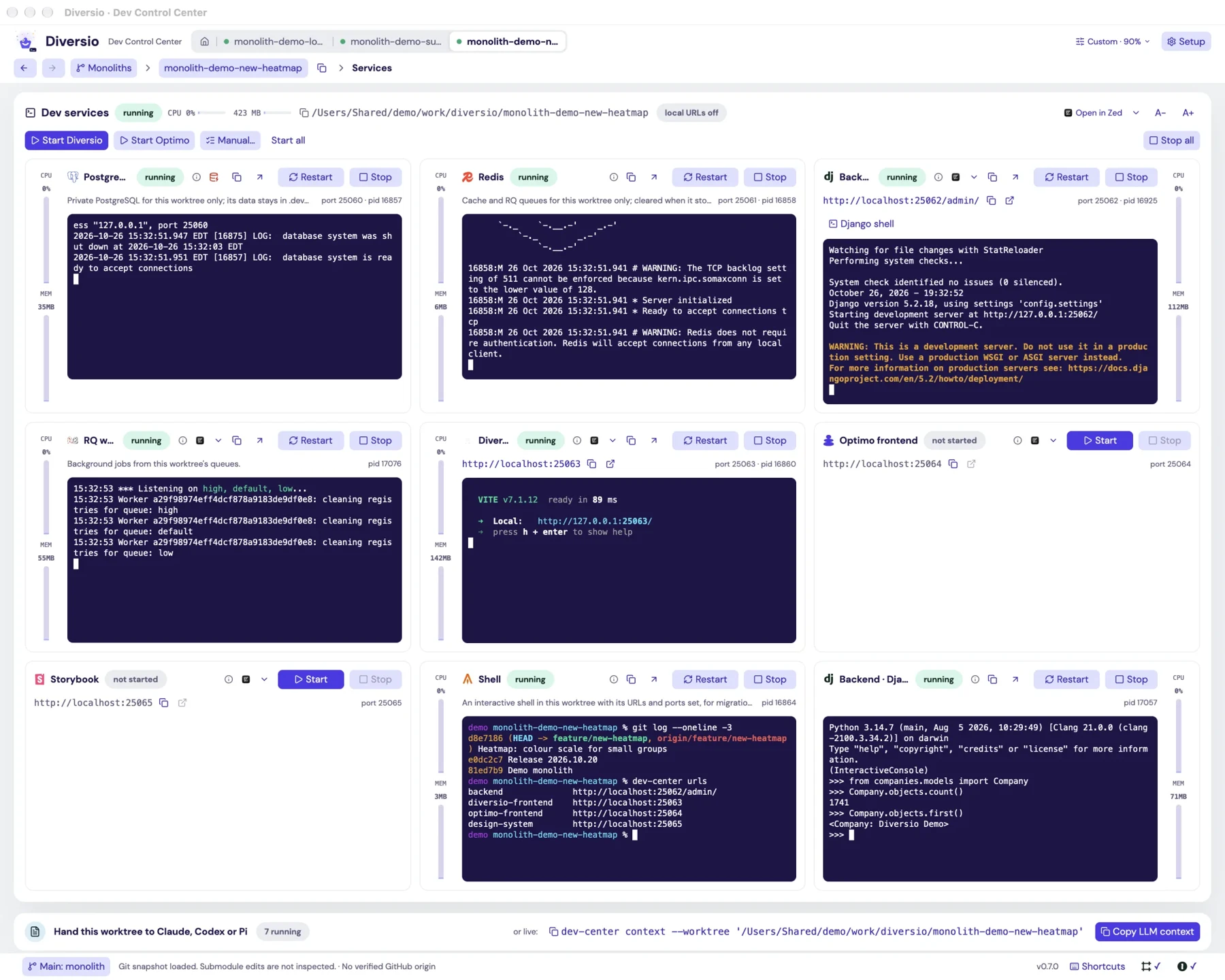
The agent’s work doesn’t disappear into another terminal.
An agent sends commands through the CLI. You see them run in the app. Same logs, same processes, same state—so you can inspect the work or take over.
What happens in the demo
The agent sends git log to the app’s shell, runs a query in its Django shell, starts a migration-listing command in a new terminal, then reads the Django shell’s output back through the CLI. Each action is visible in the app.
Same tool. Three places we work.
We didn’t build a second stack launcher for our Slack agent, or a third one for remote sandboxes.
An engineer’s computer
App and CLI share a stack on macOS or Linux. Each worktree gets its own database, Redis, ports and URLs.
No desktop required
Our Slack agent uses Dev Center headlessly to prepare a development stack and return a preview.
Meet Courage →The remote sandbox, too
The same tool runs inside our Crafting environments. Different place; familiar commands and service controls.